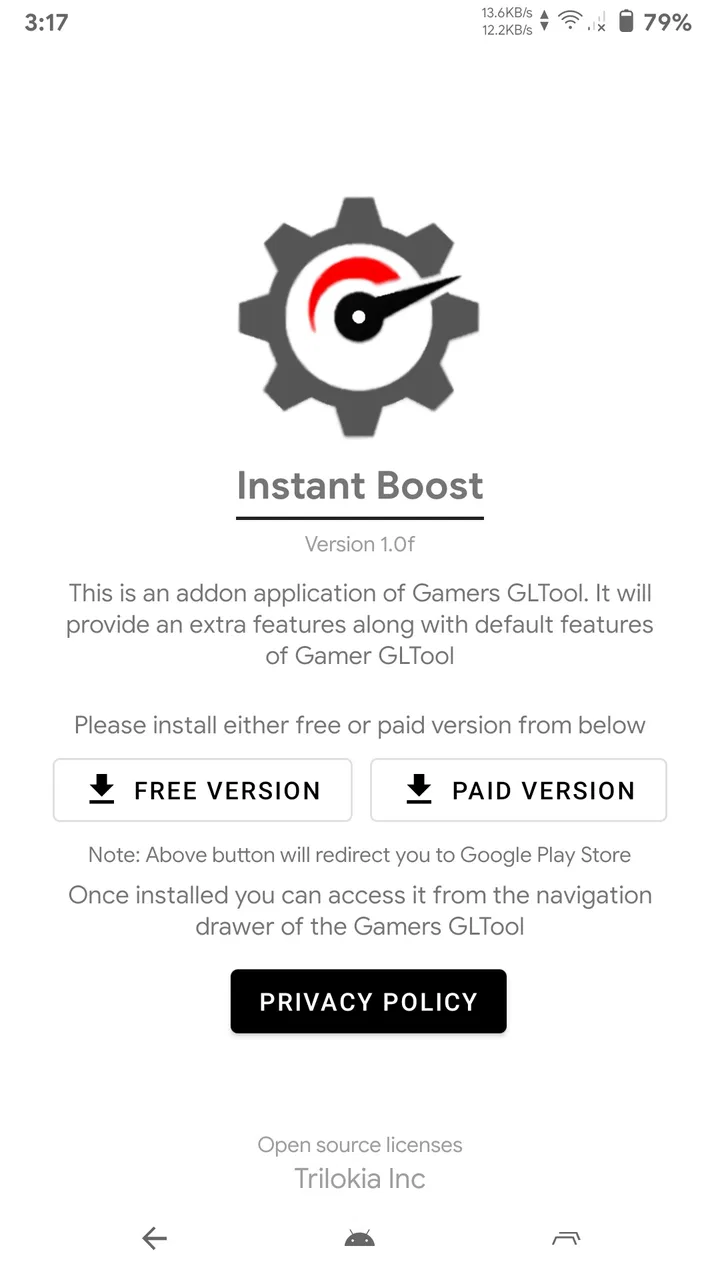
Instant Boost : Addon
- 4.2
- Rating
- 500.00K
- Installs
- Free
- Price

 Analysis by App-foxy
I approached Instant Boost : Addon as a practical Android utility rather than a game in its own right. Its purpose is straightforward: it is designed to help you start a performance-boosting session before playing, with as little interruption as possible. That narrow focus is also what makes it interesting. Instead of presenting itself as a large gaming hub, it sits in the Libraries & Demo section and concentrates on the moment when you want to move from choosing a game to actually playing it.
In my experience, the most important question is not whether a boost label sounds impressive, but whether the app fits your phone, your games, and the way you play. Some users will appreciate a quick extra step before launching a demanding title. Others may find that their device already manages games well enough, making another utility unnecessary. I found the app most useful when treated as a simple experiment: use it consistently with the same game, observe whether the experience feels smoother, and avoid assuming that every slowdown can be fixed by one tool.
How Instant Boost : Addon feels to use in different situations
I find this utility easiest to judge by the kind of session I’m about to start: a quick casual game, a longer evening session, or a title that already feels strained on my phone. Thinking through those situations helps me decide whether adding a boost step is genuinely useful or just extra routine. The difference becomes clearer when I look at how I would use it before launching a game.
You May Also Like

 Blood Strike: 2.5 Anniversary
Blood Strike’s Loadouts Turn Every Drop Into a Tactical Gamble
A close look at Blood Strike’s custom loadouts: how fast access to signature weapons reshapes its battle royale rhythm, rewards preparation, and narrows the gap between fights.

 Pandora - Music & Podcasts
Pandora’s Music Is Easy to Start, but Harder to Recover
Pandora’s strength is its low-effort path from a seed to a station. Its weak spot is how much confidence it asks you to place in connection, setup, and quiet recovery.

 8 Ball Pool
 Is Built on Rivalries, Rematches, and Routine
A close look at the rivalries, rematches, shared routines, and unanswered safety questions that turn a quick pool match into a persistent mobile community.

 Samsung Music
’s Quiet Strength Is Playing What You Already Own
Its reach comes less from spectacle than from dependable access to a personal library. That simplicity is both the app’s strongest retention engine and its ceiling.

 AccuWeather: Weather Radar
AccuWeather Review: A Quick, Clear Forecast for Everyday Decisions
For everyday plans, the best forecast is the one you can understand quickly. AccuWeather makes rain timing, radar, and local conditions easy to act on, with a few trade-offs.

 Hill Climb Racing
Why Hill Climb Racing Still Turns Crashes Into One More Run
A tiny car, a bumpy hill and one more upgrade: Hill Climb Racing keeps resurfacing because its simple chaos makes every near-miss feel personal.
More From Our News Desk



Readability and navigation during setup
The appeal of this app begins with its compact idea. The store summary presents it as a way to boost game performance instantly, while the short description reduces that promise to “Instant Boost.” That wording sets a clear expectation: I should be able to understand what to do without studying a complicated control panel. For someone who dislikes crowded gaming dashboards, this focused approach can be more comfortable than an app filled with statistics, profiles, overlays, and unrelated recommendations.
Clear navigation matters especially when I am already eager to play. A useful gaming utility should not turn preparation into a second task. I look for obvious wording, a sensible order of actions, and controls that are easy to identify at a glance. Instant Boost : Addon is best judged by that simple workflow: open it, select or reach the relevant game action, activate the boost, and continue. If you need a long explanation before feeling confident, the central benefit of speed becomes less convincing.
The app’s category also gives a clue about how to approach it. As a Libraries & Demo application, it is not something I would install for a campaign, a collection of levels, or a social gaming community. I would install it as a supporting tool. That distinction helps prevent confusion: this is an accessory around gaming, not a replacement for the games themselves and not a full device-maintenance suite.
For readers who prefer larger text or who find dense interfaces tiring, a focused utility is generally easier to inspect than a feature-heavy optimizer. Still, readability depends on the phone’s display, system settings, and the way the app presents its controls. I would check the main screen in both portrait and landscape before relying on it during a session. A control that is easy to find at home may be less comfortable when the phone is held sideways or when a game must be launched quickly.
One practical habit helped me think about the app more realistically: I would prepare it before joining a competitive match rather than opening it after a problem appears. That avoids rushing through small buttons or making changes while distracted. It also lets me decide whether the boost is worth the extra step for that particular game. For casual play, the preparation may feel unnecessary; for a long session, it may become a familiar part of my routine.
Motor comfort and sensory demands
Instant Boost : Addon does not remove the physical demands of the game I launch afterward. If a title requires rapid taps, precise swipes, or both hands in a fixed position, the utility cannot change that. Its possible value is earlier in the process, by reducing the amount of setup I need to perform before the game begins. That makes it potentially helpful for someone who wants fewer repeated navigation steps, but it should not be mistaken for an accessibility control or an input-assistance tool.
For users with limited dexterity, the key trade-off is the number and precision of actions needed to activate the boost. A short workflow is easier to repeat than a multi-screen configuration, particularly when I am holding the phone one-handed. I would test the complete sequence slowly first, then decide whether it remains comfortable when repeated. If the app requires frequent return visits or delicate taps, the convenience may disappear for people who already experience hand fatigue.
Sensory comfort is equally personal. Gaming sessions can already involve bright animation, sound, vibration, and quick visual changes. A utility that adds another transition or screen may be manageable for some people and irritating for others. I would activate the boost in a quiet, controlled moment and avoid making changes while a game is loading or displaying intense motion. This is a small but useful distinction: the app may simplify performance preparation, yet the overall phone experience still depends heavily on the game and the device.
There is also a difference between visual simplicity and genuine accessibility. A clean-looking screen can be easier to understand, but that does not guarantee support for every ability. Someone who relies on screen reading, enlarged text, high contrast, switch access, voice control, or other system tools should test the actual controls rather than assume compatibility. I would not choose this app solely because its purpose sounds simple. I would choose it only after confirming that the activation process works comfortably with my own settings.
My most useful tip here is to separate setup from play. Activate the utility while seated, with the phone stable, and then launch the game. That avoids repeated gripping and reduces the chance of pressing the wrong control in a hurry. It is a small workflow change, but it makes more sense than expecting a performance tool to solve physical discomfort caused by the game itself.
Access across everyday contexts
The app is easier to evaluate when connected to a realistic situation. Imagine that I am commuting home, using a mid-range Android phone, and want to play for twenty minutes before dinner. The phone may have been used for other tasks, and the game may feel less responsive than it did earlier. In that moment, a quick boost utility could be worth trying because I want a simple preparation step rather than a long troubleshooting session. I would start it before opening the game, keep expectations modest, and compare the result with my usual experience.
A different situation is a long gaming session at home. Here, the extra launch step is less important than consistency. I would use the same game and similar conditions for several sessions, paying attention to loading behavior, responsiveness, heat, and battery comfort. The goal would not be to prove a dramatic improvement after one attempt. It would be to learn whether this particular phone benefits enough to justify keeping the app installed.
For people who play while traveling, the value may be situational. A boost tool can be convenient when the phone is being used for one demanding game and I want to avoid manually closing unrelated apps or navigating through several settings. However, I would be cautious on a device that is already warm, low on battery, or operating under strict power-saving behavior. Performance and battery life are often connected, so a smoother-feeling session may not be the only result I notice.
The app is free, which lowers the barrier to testing it. That matters for users who do not want to pay before knowing whether a utility suits their phone. It also makes a short trial more reasonable: I can compare the same game with and without the tool and decide based on actual use. Free does not automatically mean effortless, though. I still need to consider whether the extra app adds value or simply becomes another icon I rarely open.
Its Everyone age rating makes the app approachable for a broad audience, but age suitability is not the same as universal usability. A younger player may understand the basic purpose quickly, while an older user or someone unfamiliar with gaming utilities may need a clearer explanation of what the boost changes. I would describe it to a family member as an optional preparation tool, not as a guarantee that every game will run perfectly.
Where the practical barriers remain
The largest limitation is the word “boost” itself. It can suggest a universal fix, but game performance depends on many parts of the experience: the phone’s hardware, available resources, the game’s own optimization, the network connection, temperature, and background activity. A utility can be useful without overcoming all of those factors. If the real problem is unstable internet, server delay, an outdated game, or a phone that is overheating, Instant Boost : Addon may not address the cause.
This is why I would not judge it after one unusually good or bad match. A better test is to use the same title in similar conditions, with the boost active for one session and absent for another. I would avoid changing several settings at once, because then I would not know what made the difference. This simple comparison is more valuable than trusting a dramatic label or assuming that a visible change must equal better gameplay.
Another barrier is that a performance utility can add mental overhead. If I must remember to open it every time, confirm an action, and then launch the game, the routine may become annoying for short play sessions. People who value instant access may prefer using the phone’s normal game mode, built-in performance settings, or the game’s own graphics controls when those are available. Those alternatives can be better when they are already integrated into the device and require no separate workflow.
I would also be careful about using it while multitasking. Switching between a booster, the game, messaging, music, and other apps can make it harder to tell whether the result is actually better. For a fair impression, I would close unnecessary tasks where appropriate, activate the utility once, and then stay in the game. This is not a criticism unique to this app; it is a reminder that testing becomes unreliable when too many variables change together.
Version 1.4 is the version I would look for when checking compatibility on an Android device. The minimum operating system is Android 7.1, so owners of older phones should pay attention to that requirement before planning a test. I would also consider the age of the device itself. An app can open successfully while the hardware remains the real bottleneck, especially with modern games that demand more memory and graphics power than older phones can comfortably provide.
There is a further distinction between a game optimizer and a complete accessibility solution. Instant Boost : Addon may reduce preparation friction, but it does not replace captions, remappable controls, touch accommodations, magnification, screen-reader support, or device-level access settings. If those are the features I need in order to play, I would prioritize the game’s own options and Android’s accessibility tools. The booster should be considered an optional companion, not the foundation of an inclusive gaming setup.
Who should try it and who should skip it
I would recommend trying it to someone who plays demanding Android games, notices occasional sluggishness, and wants a small, free utility to test before changing more complicated settings. It also makes sense for a person who prefers a single, repeatable preparation step instead of searching through system menus each time. The app’s focused purpose is its strongest quality: I do not need to learn a large ecosystem before finding out whether it fits my habits.
I would be less enthusiastic for someone whose games already run smoothly, whose main issue is online latency, or who wants detailed control over graphics, temperature, battery profiles, and background processes. In those cases, built-in phone tools or the game’s own settings may be more informative. A dedicated optimizer with deeper controls could also suit an experienced user better, provided that person is comfortable managing more options.
I would also skip it if the activation process is uncomfortable with my preferred accessibility settings. No performance improvement is worth a workflow that causes hand strain, visual discomfort, or confusion. The right test is personal and practical: can I identify the main action, activate it without rushing, and return to the game without losing track of what happened? If the answer is no, the app is not the right fit, regardless of its rating or popularity.
The app has attracted an average rating of 4.2 from around 1.1 thousand ratings, and it has passed the half-million-install mark. Those figures suggest that many Android users have been willing to try the concept, but they do not predict the result on my particular phone. I see them as a reason to investigate, not a promise of identical performance. Hardware differences and gaming habits matter too much for a single score to settle the question.
My inclusive verdict after weighing convenience against control
After looking at its role from an accessibility and everyday-use perspective, I see Instant Boost : Addon as a focused experiment rather than an essential gaming companion. Trilokia Inc. has positioned it around a clear need: getting a game session started with a performance-oriented action in between. That simplicity can help users who want fewer decisions, especially when a complicated dashboard would be distracting or difficult to navigate.
Its best use is controlled and realistic. I would install the free app, confirm that my Android version meets the 7.1 requirement, try it with one game, and compare the experience under similar conditions. I would activate it before play rather than during a frustrating match, and I would pay attention to responsiveness as well as heat, battery behavior, and comfort. This approach gives me useful information without turning the app into a promise it cannot reasonably make.
I would not describe it as a universal answer for lag, nor would I present it as an accessibility product. Its value depends on whether the boost workflow is clear and comfortable for me and whether my device has enough underlying capacity for the game. Users who need advanced tuning or specific access features may be better served by built-in Android tools, game-level settings, or a more specialized alternative.
For a broad audience, the Everyone rating and straightforward purpose make it approachable, while the current version gives prospective users a concrete starting point for compatibility checks. My final view is positive but measured: Instant Boost : Addon is worth a low-risk trial when you want a quick gaming aid, not a guaranteed cure for every performance or access problem. If it makes your routine shorter and your games feel more comfortable, it has earned its place. If it adds another step without a noticeable benefit, removing it is the more sensible choice.
That is the standard I would use with a friend. Try it deliberately, keep the game and conditions consistent, and let your own hands, eyes, phone, and play style decide. The app can be a useful small part of an inclusive setup when it reduces friction, but the best gaming experience still comes from matching the tool to the person rather than expecting one boost button to suit everyone.
FAQs for Instant Boost : Addon
01What is Instant Boost: Addon and how does it enhance my device's performance?
Instant Boost: Addon is a mobile application designed to improve your device's performance by optimizing memory usage, clearing cache, and managing background processes. The app aims to provide a smoother user experience by reducing lag and enhancing responsiveness, making it particularly useful for older devices or those with limited resources.
02Is Instant Boost: Addon safe to use on my Android or iOS device?
Yes, Instant Boost: Addon is safe to use on both Android and iOS devices. The app is regularly updated to ensure it complies with the latest security standards and privacy regulations. It does not access personal data without permission, focusing solely on optimizing device performance.
03How does Instant Boost: Addon manage battery life on my device?
Instant Boost: Addon includes features to extend battery life by identifying and limiting apps that consume excessive power in the background. It offers recommendations and tools to adjust settings, helping users maximize battery efficiency without compromising on essential functionalities.
04Are there any in-app purchases or subscriptions required for Instant Boost: Addon?
While Instant Boost: Addon offers a range of free features, there may be additional premium features available through in-app purchases or a subscription model. These premium options typically include advanced optimization tools and ad-free usage, enhancing the overall user experience.
05Can Instant Boost: Addon help with gaming performance on my device?
Yes, Instant Boost: Addon can significantly improve gaming performance by freeing up system resources, reducing lag, and optimizing the device for smoother gameplay. It helps manage background processes and can prioritize gaming apps to ensure they receive the necessary processing power and memory.
Pros
- Enhances device speed noticeably.
- User-friendly interface for easy navigation.
- Customizable settings for personalization.
- Minimal impact on battery life.
- Compatible with most Android devices.
Cons
- May display occasional ads.
- Limited features in free version.
- Requires internet for full functionality.
- Some features overlap with system tools.
- Not available for iOS users.

Instant Boost : Addon
Gallery